Sign out of my Microsoft 365 email on all devices
When securing a compromised Microsoft 365 account, sign out of all sessions and devices.
- Go to your Security info page. Use your Microsoft 365 email address and password (your GoDaddy username and password won't work here).
- If you have a sign-in method (like the Microsoft Authenticator app or your phone number), use it to verify your identity.
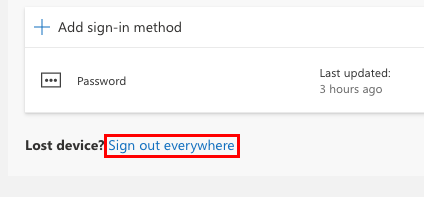
- Under the list of sign-in methods, next to Lost device?, select Sign out everywhere.
- To confirm you want to sign out of all sessions and devices, select Ok.
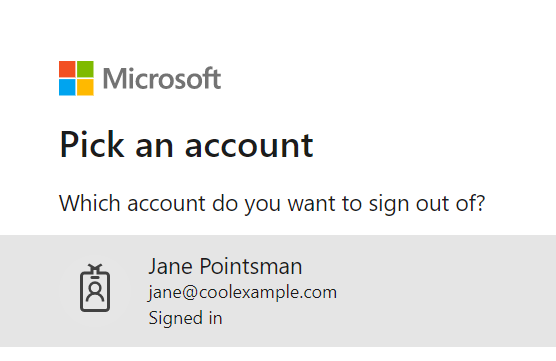
- Under Pick an account, select your account. You'll see a message confirming you've signed out of all devices.
Related step
- Keep your organization safe by enabling security defaults.
More info
- Keep your account secure and change your Microsoft 365 password.
- Add an extra level of security to your account with multi-factor authentication.